

TL;DR:
- Good video content comes from careful planning, putting audio quality first and repurposing each shoot across platforms.
- Accurate captions, transcripts and schema markup improve accessibility, search visibility and engagement.
Video content creation is the process of turning an idea into a published video through planning, filming, editing and distribution. This guide covers each stage, from choosing equipment to preparing your video for search and accessibility. Whether you are building a brand channel on YouTube or producing short clips for Instagram Reels, the core workflow is the same. Tools such as Riverside for recording, Adobe Premiere Pro for editing and CapCut for quick social cuts give you a production stack that grows with you.
What are the essential steps and tools for video content creation?
Decisions made before filming have the biggest effect on cost, time and quality. Before you press record, define the video's purpose, the single action you want viewers to take and the platform where it will live. A one-page brief or a simple shot list prevents the most expensive problem in video production: arriving in the edit with missing footage.
Scripting or outlines
A full script suits explainer videos, product demos and anything where precision matters. A bullet-point outline suits conversational formats such as vlogs and interviews, where a script can make delivery feel stiff. The choice affects your time in post-production too: a tight script usually means fewer unusable takes and a quicker edit.
Equipment that actually matters
Audio matters more than picture. Viewers will forgive slightly soft focus long before they forgive muffled or echoey sound. Buy an external microphone before upgrading your camera: a USB condenser such as the Blue Yeti for desk setups, or a lavalier mic for on-camera work. Lighting comes next. A single key light placed at 45 degrees removes the flat look that makes even expensive cameras seem amateur.
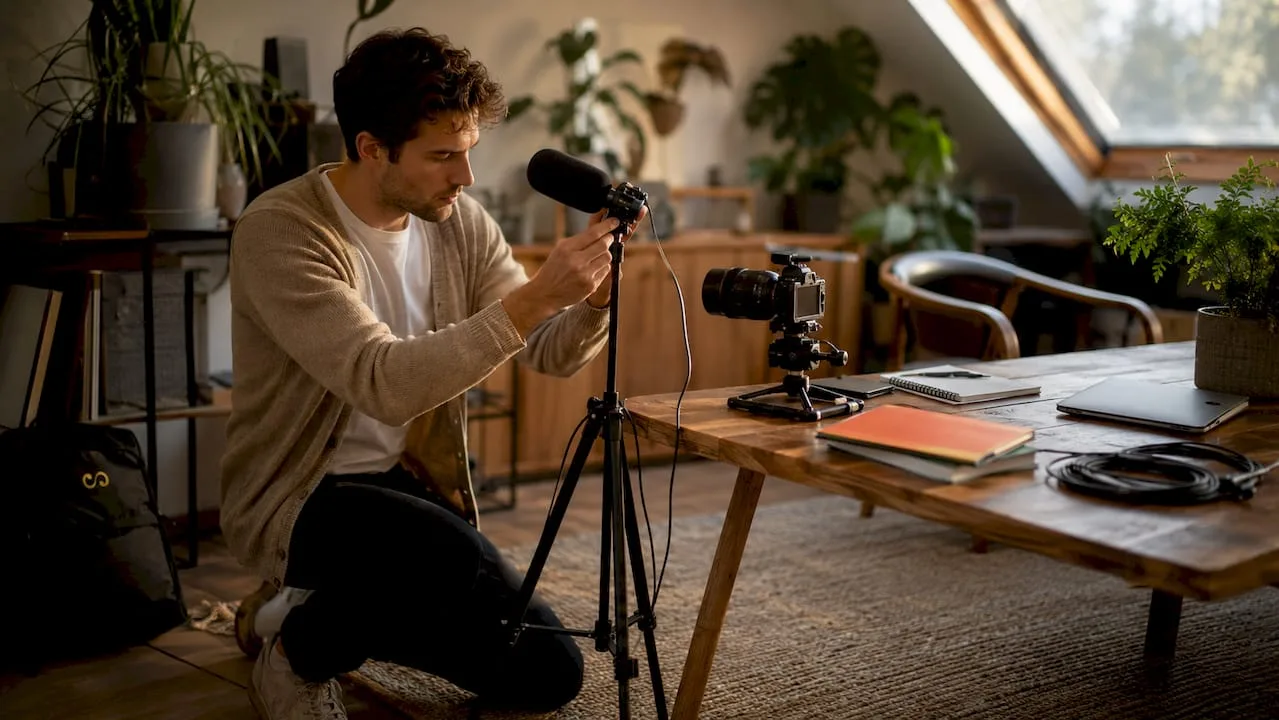
A modern smartphone shooting in 4K is a perfectly good production tool. The difference between a flagship phone and a mirrorless camera such as the Sony ZV-E10 matters far less than lighting and audio. A tripod is essential, because shaky footage looks low budget at any resolution.
| Equipment | Budget option | Professional option |
|---|---|---|
| Camera | Smartphone (4K) | Sony ZV-E10, Canon M50 |
| Microphone | Rode VideoMicro | Shure MV7, Rode NT-USB |
| Lighting | Ring light | Elgato Key Light, Aputure AL-M9 |
| Editing software | CapCut (free) | Adobe Premiere Pro, DaVinci Resolve |
Pro Tip: Plan your recording order before the shoot: intro, transitions, a variety of shots, then outro. Working through a set order prevents gaps that complicate the edit, especially if audio problems appear part-way through.
How do you edit and optimise videos for engagement and SEO?
Professional editors follow a fixed sequence whatever software they use. Skipping steps creates rework and uneven results. Here is the standard process:
- Import and organise. Bring all footage, audio and graphics into a clearly labelled project folder. Name clips by scene or topic before you touch the timeline.
- Assembly cut. Place every usable clip on the timeline in order without cutting anything. This shows you everything you have.
- Rough cut. Remove obvious mistakes, long pauses and tangents. Expect the runtime to shrink considerably.
- Fine cut. Tighten the pacing, add B-roll and refine transitions. Go easy on wipes and spins; a straight cut is almost always right.
- Colour and audio correction. Match colour temperature across clips, improve dialogue clarity with an equaliser and add a light noise-reduction pass. DaVinci Resolve's free Fairlight audio tools handle this without extra plugins.
- Captions and subtitles. Add captions manually, or generate a transcript with a tool such as Descript and then correct it. Automatic captions often get names, jargon and accents wrong, which hurts both accessibility and search indexing.
- Export and metadata. Export at the platform's recommended settings, then write a clear, keyword-rich title, description and tags before uploading.
For SEO, manual transcripts and video chapters help search engines understand your video and help viewers find the part they need. Add chapters to longer videos; it is one of the most useful things you can do for discoverability.
Pro Tip: Put your main keyword near the start of your YouTube description. The opening lines are what viewers and search engines see first, and they shape how your video is understood for search ranking signals.
What are the best practices for filming social media videos in 2026?
Social video follows different rules from long-form content. Vertical 9:16 framing, a hook in the first couple of seconds, short runtimes and burned-in captions are the baseline for TikTok, Instagram Reels and YouTube Shorts. Many people watch with the sound off, so captions are not optional.
Format and length guidelines by platform:
| Platform | Format | Good starting length | Key requirement |
|---|---|---|---|
| TikTok | 9:16 vertical | 15 to 60 seconds | Hook in the first 2 seconds |
| Instagram Reels | 9:16 vertical | 15 to 90 seconds | Captions, trending audio |
| YouTube Shorts | 9:16 vertical | Under 60 seconds | Strong opening frame |
| LinkedIn video | 16:9 or 1:1 | 30 to 90 seconds | Subtitles, professional tone |
The most efficient social workflow starts with one long-form shoot. A single ten-minute video can give you several short clips plus text posts, carousels and threads for LinkedIn, X and Threads. Repurposing this way multiplies reach without multiplying production time.
- Trim silent gaps between sentences to tighten pacing for short clips.
- Use CapCut's auto-captions as a first draft, then correct names and technical terms by hand.
- Match the energy and rhythm of native content on each platform. A LinkedIn clip should feel different from a TikTok clip even when the message is the same.
Pro Tip: Film your long-form content first, then pick out the three strongest 30-second segments before you leave the set. Knowing your short clips in advance lets you capture the reaction shots and B-roll that make them feel complete rather than chopped.
How can video creators meet accessibility standards to reach wider audiences?
WCAG 2.2 Level AA is the current benchmark for accessible video on websites and apps. Meeting it is more than a compliance exercise. Accessibility helps keep viewers watching, and accurate captions and transcripts give search engines better text to work with.
The four pillars of accessible video are:
- Accurate closed captions. Captions must be in sync with speech, include non-speech sounds such as [applause] or [music], and be carefully checked for accuracy. Use SRT files for social platforms and VTT files for web embeds.
- Audio descriptions. Where important visual information is not explained in the narration, a second audio track describes what is happening on screen for blind and partially sighted viewers.
- Transcripts. A full transcript on the same page as the video gives search engines a complete text version of the content and serves people who prefer reading.
- Accessible video players. Players must work with a keyboard and with screen readers. Choose one built with accessibility in mind, such as Able Player, and test it yourself.
Treat captions and transcripts as content assets rather than an afterthought. They widen your audience and support search visibility at the same time.
Pro Tip: Test your video player with VoiceOver on macOS or TalkBack on Android before publishing. If a screen reader cannot find the play button, some of your audience cannot watch at all.
What are the most effective strategies for publishing and distributing video content?
Publishing is where production work turns into reach. YouTube and Vimeo suit long-form content, while Brightcove and Wistia handle business video hosting with deeper analytics. Platforms tend to favour native uploads over shared links, so upload directly rather than posting a YouTube URL on LinkedIn.
VideoObject schema markup with chapter timestamps makes your video eligible for Google's video rich results. The markup describes the video's duration, topic, publish date and chapters. It is a single technical step that can make your listing stand out in search.
On YouTube, watch time drives distribution while the title and thumbnail draw viewers in. Test two thumbnail options soon after publishing and keep the one with the higher click-through rate. Thumbnails with a human face showing clear emotion are a common choice for good reason; test them against text-led designs.
A practical distribution checklist:
- Upload the full video natively to YouTube with chapters, a keyword-rich description and tags.
- Publish a short teaser on Instagram Reels and TikTok that points back to the full video.
- Turn the transcript into a blog article with the video embedded, which helps SEO and readers who prefer text. This fits neatly into a content marketing workflow that gets more value from each production.
- Share a text-based insight on LinkedIn with a link to the video in the first comment.
Why planning beats gear every time
I have worked with creators who spent months agonising over camera bodies while their competitors built audiences with smartphones and a clear content plan. The pattern is consistent. The creators who grow fastest plan before they film; they are rarely the ones with the best equipment.
What separates growing channels from stagnant ones is how long people keep watching, not how many click. A smaller video that holds its audience will often do better in the algorithm than a bigger one people abandon early. That retention comes from tight scripting and purposeful editing, not a better lens.
Accessibility is the growth lever I see creators ignore most. Adding a corrected transcript to a video page is a small job, yet most creators treat it as a box to tick. The ones who build it into their video marketing strategy tend to show up more often in search.
My advice to every new creator: make ten videos before you judge your own work. The learning curve in video is steep and front-loaded. Your tenth video will be far better than your first, and the only way to get there is to publish, measure and adjust.
Pawan
Take your video content further with LOOM Brand Designs
Great video needs more than a camera and editing software. It needs a consistent visual identity, careful post-production and a strategy that connects each video to your wider brand goals.
LOOM Brand Designs offers professional video editing and design for creators and marketers who want polished results without building an in-house production team. From colour grading and captions to branded intros and motion graphics, we handle the technical work so you can focus on the content. If you are building your visual identity from the ground up, the Standard Branding Package gives you a coherent design system that makes every video recognisably yours. Book a consultation to see what a professional production workflow could look like for your brand.
FAQ
What equipment do I need to start creating videos?
A smartphone that shoots 4K, an external microphone, a tripod and a single key light are enough for professional-looking video. Audio matters more than picture, so buy the microphone before upgrading anything else.
How long should my videos be for social media?
For TikTok, Instagram Reels and YouTube Shorts, keep clips short with a hook in the first couple of seconds. LinkedIn video works well at around 30 to 90 seconds with subtitles, since many people scroll with the sound off.
What is the best free video editing software for beginners?
CapCut is a strong free option for social-first creators, with auto-captions, templates and a mobile-friendly interface. DaVinci Resolve is an excellent free tool for long-form editing, with professional colour correction and audio tools built in.
How do captions improve video SEO?
Corrected captions and transcripts give search engines a complete, accurate text version of your video. Automatic captions often contain errors that make indexing less accurate. Publishing a corrected transcript on the video's page helps search engines understand and surface it.
How do I repurpose one video into multiple pieces of content?
Film one long-form video, then pick out the strongest 30-second segments for short clips. One shoot can give you several short clips, a blog post from the transcript, social text posts and a carousel, each formatted for its platform.
Key takeaways
Consistent video growth comes from careful planning, corrected captions and platform-native distribution rather than expensive equipment.
| Point | Details |
|---|---|
| Plan before you film | A shot list and a clear purpose prevent missing footage and shorten the edit. |
| Audio beats picture quality | An external microphone gives a bigger quality jump than a camera upgrade. |
| Captions serve SEO and viewers | Carefully corrected captions improve both accessibility and search indexing. |
| Repurpose every shoot | One long-form video can become several short clips, a blog post and social posts. |
| Schema markup supports search visibility | VideoObject schema with chapter timestamps makes videos eligible for Google's video rich results. |
The Hashtag Loom