
TL;DR:
- UX design is about creating products that give people useful, efficient experiences, and it gets there through research and testing. It affects business results directly, from conversions and retention to support costs, and it depends on continuous improvement and user-centred principles. Unlike UI design, UX covers the whole user journey, so it needs ongoing testing and a firm grip on the core principles.
UX design is the process of creating products that give people meaningful, efficient and satisfying experiences. "UX" stands for user experience, and the discipline covers far more than how things look. It is a problem-solving practice that combines user research, information architecture, prototyping and usability testing to make digital products work better for real people. As more companies have seen the link between ease of use and revenue, UX has moved from a niche specialism to a boardroom concern.
What is UX design and why does it matter?
UX design is the structured practice of understanding what users need and then building products that meet those needs with as little friction as possible. Figma, Adobe XD and Miro are common tools in the workflow, but the discipline itself is rooted in psychology, research and systems thinking. Figma, for example, lets teams wireframe, prototype and test interactions in one place, which shortens the loop between an idea and a tested design.
UX design is about more than making things look good. It puts clarity, efficiency and the user's goals ahead of self-expression. A beautifully styled app that confuses people is a UX failure, however polished it looks. This matters because many teams invest heavily in visual design while neglecting the research and testing that make a product genuinely usable.
First impressions form fast. People decide very quickly whether a product looks trustworthy and worth their time, and that snap judgement shapes whether they stay or leave. Every design decision carries commercial weight.
What are the core UX design principles?
Good UX design rests on four principles: user-centred design, usability, accessibility and clarity. Each one deals with a different layer of the user's experience.
- User-centred design puts the user's goals at the centre of every decision. Amazon's one-click ordering is a well-known example: it exists to take friction out of checkout.
- Usability means a product works as expected without a manual. Google Search does this with a single input field on an almost empty page. There is nothing to learn.
- Accessibility means the product works for people with disabilities. The Web Content Accessibility Guidelines (WCAG) are the standard framework most teams follow.
- Clarity means users always know where they are, what they can do and what happens next. Good mobile operating systems, such as Apple's iOS, make heavy use of this principle in their navigation.
The components that bring these principles to life are user research, information architecture, wireframing, prototyping and usability testing. User research uncovers real behaviour rather than assumed behaviour. Information architecture organises content so people find what they need without thinking hard. Wireframing and prototyping in tools like Figma or Adobe XD let teams test ideas before writing any code.
Pro tip: Test early and often with small groups. Nielsen Norman Group has argued for years that a round of testing with around five users will show you most of the serious usability problems, and it costs far less than fixing them after launch.

How does UX design affect business results?
UX design drives revenue, retention and cost savings. A product that is easy to use converts more of its visitors, keeps more of its customers and generates fewer support requests. That is the difference between a product that grows and one that stalls.
The savings come from timing. Problems found in research or prototyping are cheap to fix: a designer changes a screen. The same problems found after launch mean engineering rework, support tickets and lost customers. Bringing UX in early is one of the simplest ways to protect a development budget.
"Design acts as strategic intelligence, maximizing business value by bridging user goals and product functionality." (UX Collective)
Poor UX creates what design researcher Don Norman called the "gulf of execution": the gap between what a user is trying to do and what the product lets them do. When that gap is wide, people give up. It shows up in bounce rates, churn and support queues.
Winning a new customer usually costs more than keeping an existing one, which makes UX investment in retention a financial decision as well as a design one. Good UX keeps people coming back, and that builds over time in a way paid acquisition cannot. For more on how retention connects to growth, read about UX and brand loyalty.
What are the key stages of the UX design process?
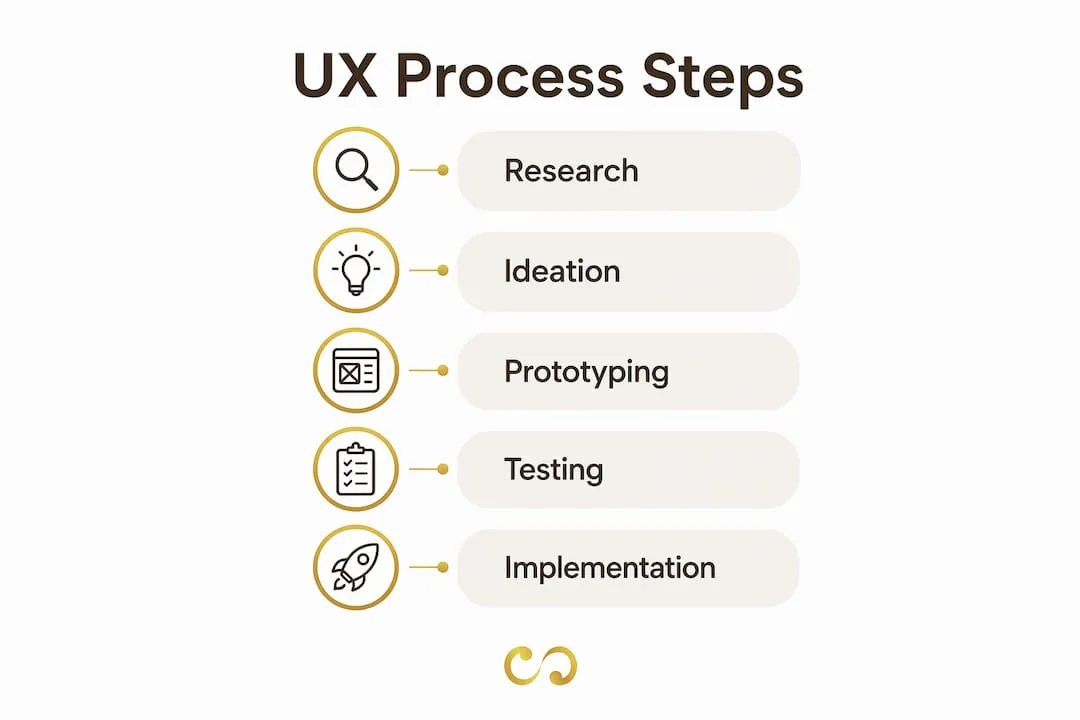
The UX design process moves from understanding to testing and back again. Each stage builds on the last, and skipping one usually creates problems that surface later at greater cost.
- User research. Designers run interviews, surveys and behavioural analysis to understand who the users are and what they need. Tools such as Hotjar and UserTesting capture real behaviour rather than self-reported preferences.
- Persona development. Research findings are turned into personas: fictional but evidence-based profiles of key user types. Personas keep design decisions tied to real people rather than assumptions.
- Information architecture. The product's content and features are organised into a logical structure. Card sorting and site mapping tools like Optimal Workshop help teams check that structure with real users before building anything.
- Wireframing. Low-fidelity sketches or digital wireframes in Figma map out layout and flow without the distraction of colour or typography. This stage is about structure, not style.
- Prototyping. Interactive prototypes simulate the real product. Adobe XD and Figma both support clickable prototypes that can be tested with users within hours.
- Usability testing. Real users attempt real tasks with the prototype. Designers watch where they succeed, where they hesitate and where they fail. This stage regularly surfaces problems no internal review would catch.
- Iteration. Findings from testing feed straight back into the design. The cycle repeats until the product meets agreed usability goals.
UX designers translate user needs into product decisions that align engineering, sales and support around a shared understanding of the user. That cross-functional role makes UX a communication discipline as much as a design one.
Pro tip: Involve UX designers at the project kick-off, not after the product requirements are written. Bringing UX in late is one of the most common reasons design changes turn into expensive engineering rework.
How does UX design differ from UI design?
UX and UI are related but separate disciplines. Mixing them up leads to products that look polished but perform poorly.
| Dimension | UX design | UI design |
|---|---|---|
| Focus | Overall user experience and journey | Visual interface elements and style |
| Core tools | Figma (research flows), Optimal Workshop, UserTesting | Figma (visual components), Adobe XD, Sketch |
| Main output | Wireframes, user flows, prototypes, research reports | Colour systems, typography, icons, final visual screens |
| Guiding question | Does this product solve the user's problem? | Does this interface look and feel right? |
| Relationship | UX defines the structure and logic | UI applies the visual layer on top of UX |
UI design sits within the broader UX discipline. It handles the look and feel of individual screens: colour, typography, button styles and spacing. UX design handles the entire experience, from the moment someone first meets a product to the moment they complete their goal or leave.
Related disciplines include interaction design (IxD), which focuses on how people interact with interface elements, and service design, which takes UX thinking beyond digital touchpoints to whole services. Usability engineering uses quantitative methods to measure and improve a product against defined standards.
Focusing on UI without UX is a very common mistake. A product can have a striking visual identity and still fail because the navigation is confusing, the onboarding is unclear or the main task takes too many steps. The impact of graphic design on engagement is real, but it strengthens good UX rather than replacing it.
Key takeaways
UX design decides whether a product succeeds or fails with real users, and its effect on the business can be measured.
| Point | Details |
|---|---|
| UX is a problem-solving discipline | It focuses on reducing friction and meeting user goals, not on visual self-expression. |
| The business case is concrete | Easier products convert more visitors, keep more customers and create fewer support requests. |
| Early involvement saves money | Bringing UX in before development prevents costly rework. |
| UX and UI are different | UI handles visual style; UX covers the whole user journey and the logic behind it. |
| Retention drives the financial case | Keeping existing users through good UX usually costs far less than winning new ones. |
The invisible work that actually makes the difference
I have worked on enough digital products to know that the most effective UX improvements are rarely the ones anyone notices. Teams spend months debating colour palettes and icon styles while the real problem is a checkout that takes six steps when three would do. Invisible UX means removing friction so quietly that people never realise the design is doing anything. That is the goal.
Measurement is something most teams underuse. Frameworks such as Google's HEART (Happiness, Engagement, Adoption, Retention, Task success) and the System Usability Scale (SUS) exist to turn design quality into numbers that executives understand. Without those numbers, UX gets treated as a cost. With them, it becomes a revenue argument.
My honest view after years in this field: teams that treat UX as a continuous feedback loop, rather than a one-off deliverable, do better than those that treat it as a project phase. User behaviour changes. Products evolve. The UX process should never stop. Get into the habit of testing with real users every sprint, not just at launch.
Pawan
Turn UX principles into a real digital product with LOOM Brand Designs
Understanding UX design principles is the first step. Turning them into a product that performs is where most teams need support.
LOOM Brand Designs builds digital experiences that apply UX thinking from the first wireframe to launch. Whether you need a website built around user experience or a brand identity that communicates clearly at every touchpoint, we bring design discipline and business strategy to the work. The Standard Branding Package is a good starting point for businesses that want consistent, UX-informed design across their digital presence. If you are ready to move from concept to execution, book a consultation and get a plan built around your users.
FAQ
What is UX design in simple terms?
UX design is the practice of creating products that are easy, efficient and satisfying to use. It combines user research, prototyping and testing to remove friction from the user's experience.
Does UX design require coding skills?
No. UX designers focus on experience design and user research, while developers handle the build. Basic familiarity with HTML and CSS helps with communication but is not required.
What is the difference between UX and UI design?
UX design covers the whole user journey and the logic behind it. UI design focuses on the visual layer, including colours, typography and interface components. UI is one part of the broader UX discipline.
Why does UX design matter for business?
Products that are easy to use convert more visitors, keep more customers and need less support. Applying UX early in the product lifecycle also prevents expensive rework later.
What tools do UX designers use?
The most widely used UX tools include Figma for wireframing and prototyping, Optimal Workshop for testing information architecture, and UserTesting or Hotjar for capturing real user behaviour during usability studies.
The Hashtag Loom