Web design is the work of planning how a website looks, how it is organised and how it behaves when someone uses it. It covers the layout of each page, the typography and colour, the navigation, the words and images, and the way the site responds on a phone, a laptop or a screen reader. The goal is simple to state and hard to get right: a visitor should understand what you offer, find what they came for and feel confident enough to take the next step.
It is easy to think of web design as decoration, the part that makes a site look pleasant once the "real" work is done. In practice it is closer to architecture. A designer decides what goes where and why, what a visitor sees first, and how much effort it takes to get from a question to an answer. The visual style matters, but it sits on top of decisions about structure, content and usability.
This guide explains what web design includes, how it differs from web development, how a typical project runs and what separates a well designed site from one that simply looks finished.
What web design actually covers
Most people picture a homepage mock-up when they hear the term. That is one output, but a full web design job usually spans several connected disciplines.
Information architecture
This is the structure of the site: which pages exist, how they are grouped and how a visitor moves between them. Good information architecture means your menu reflects how customers think about your services, not how your organisation chart is drawn. If people have to guess which heading hides the page they want, the structure is working against you.
User experience (UX) design
UX design looks at the journey through the site. What does someone need to know before they book a call? Where do they hesitate? Which forms ask for too much? We have a separate piece on what UX design is if you want the detail, but in web design terms it is the thinking that turns a set of pages into a route.
Visual and interface design
This is the part most people recognise: layout grids, typography, colour, imagery, buttons, icons and spacing. It is where your brand identity meets the screen. A strong visual system makes pages feel consistent, so a visitor never wonders whether they have wandered onto a different company's site.
Content design
Words are part of the design. Headings, button labels, product descriptions and error messages all shape whether a page is easy to use. A designer who works without real content is designing a container, and the container rarely fits once the copy arrives.
Responsive and mobile design
A site has to work on every screen size. Responsive design means the layout adapts rather than shrinking a desktop page until the text is unreadable. Our guide to mobile optimisation covers this in more depth.
Accessibility
An accessible site can be used by people with visual, motor, hearing or cognitive impairments, including people who rely on screen readers or keyboard navigation. This is a design responsibility from the first sketch, not a checklist at the end. The scale of the problem is large: the 2026 WebAIM Million report, which tests the home pages of the top one million websites, found detectable WCAG failures on 95.9% of them. Low contrast text was the most common issue, appearing on 83.9% of home pages, followed by missing alternative text for images on 53.1%. Both are design decisions, and both are cheap to fix early.
Performance
How fast a page loads and responds is shaped by design choices: the size of images, the number of fonts, heavy animation and how much is loaded before anything appears. Google's Core Web Vitals set out measurable targets, with the main content loading within 2.5 seconds, an Interaction to Next Paint of 200 milliseconds or less and a Cumulative Layout Shift of 0.1 or less. A designer who knows these numbers will plan pages differently from one who only thinks about the static mock-up.
Web design and web development: what is the difference?
The two overlap, and on small projects one person may do both. The distinction is still useful when you are hiring or briefing.
| Web design | Web development | |
|---|---|---|
| Main question | What should this site do, say and look like? | How do we build it so it works reliably? |
| Typical outputs | Sitemaps, wireframes, prototypes, visual designs, design systems | Code, content management setup, integrations, hosting, testing |
| Tools | Figma, sketching, prototyping and user testing tools | Code editors, frameworks, CMS platforms, version control |
| Skills | Layout, typography, usability, content structure, accessibility | Front-end and back-end programming, security, performance tuning |
| Success looks like | Visitors understand the offer and act | The site is fast, secure, stable and easy to update |
In short, design decides what the experience should be, and development makes it real. Problems usually appear when the two work in isolation: a design that cannot be built within budget, or a build that ignores the design's spacing, states and mobile behaviour.
Why the first few seconds matter
People do not read websites the way they read a book. They scan, judge and decide quickly whether a page is worth their time. Research by Jakob Nielsen at Nielsen Norman Group found that users often leave web pages within 10 to 20 seconds, and that pages with a clear value proposition can hold attention for much longer. The study is older, but the behaviour it describes has only become more familiar as people browse on phones between other tasks.
For web design, that means the top of each page has a job to do. A visitor should be able to tell, without scrolling, what the business does, who it is for and what to do next. Clever imagery that hides the message, or a headline that sounds good but says nothing, costs you the people who would have been interested.
We cover the business case in more detail in why web design is important for business growth.
How a web design project usually runs
Every studio has its own process, but most good projects move through similar stages.
1. Discovery
Before any layouts, a designer needs to understand the business, the audience and the goals. Who visits the site? What do they need to know? What should they do? What does success look like in six months? This is also where existing analytics, search data and customer questions are reviewed, so the design is based on evidence rather than taste.
2. Structure and content planning
Next comes the sitemap and a rough plan of what each page must contain. We usually start with the pages that carry the most weight, such as the homepage, the main service or product pages and the contact or checkout flow, because they shape everything else.
3. Wireframes
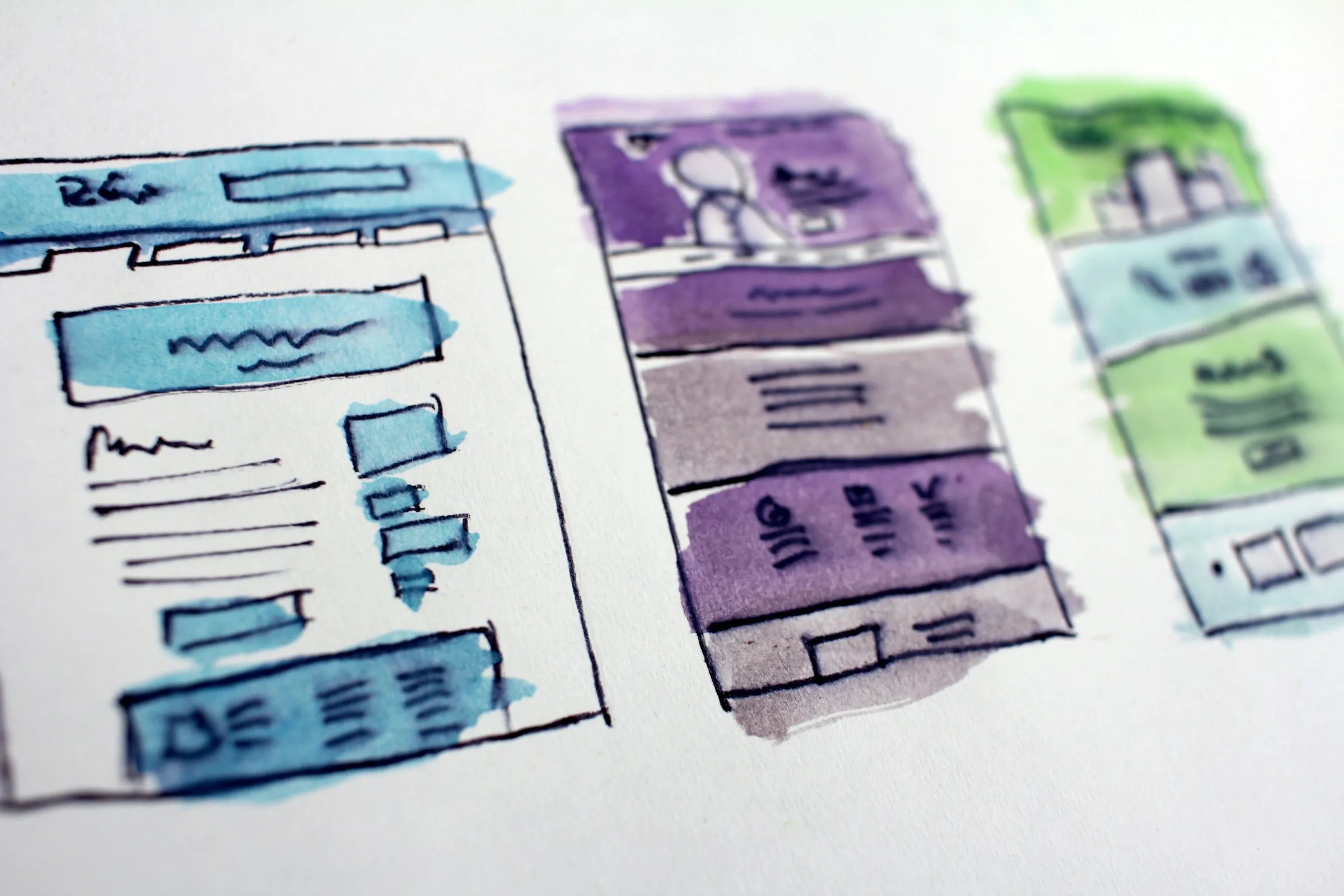
Wireframes are simple, low-detail layouts that show what goes where without colour or imagery. They make it easier to argue about structure and priority without getting distracted by visual style. Changes are quick and cheap at this stage.
4. Visual design and prototyping
Once the structure is agreed, the visual layer goes on: typography, colour, imagery, components and interaction states. A clickable prototype lets you test the experience on a phone before anything is built.
5. Build, test and launch
Developers turn the design into a working site. Testing should cover different browsers and devices, keyboard navigation, form behaviour, page speed and content accuracy. A launch is a starting point, not the end.
6. Measure and improve
After launch, real visitors show you what works. Analytics, search performance and simple user feedback point to the pages that need attention. Sites that improve steadily after launch tend to outperform sites that get a full redesign every few years and are left alone in between.
What good web design looks like
There is no single style that counts as good. A law firm and a skincare brand should not look the same. But well designed sites tend to share some qualities.
- Clarity first. The purpose of each page is obvious. Headings say what the section contains. Buttons say what will happen when you click them.
- Consistency. Typography, colour, spacing and components behave the same way across the site, which makes it feel trustworthy and easier to learn. A design system helps here.
- Readable type. Body text is large enough to read comfortably on a phone, with enough contrast against the background and sensible line lengths.
- Fast loading. Images are sized properly, fonts are limited, and nothing important waits behind a slow script.
- Accessible by default. Colour contrast passes, images have meaningful alternative text, forms have labels, and the site can be used with a keyboard alone.
- Content that answers real questions. The pages address what customers actually ask, in their language.
- Easy to update. The business can change prices, add products or publish articles without calling a developer for every edit.
Common web design mistakes
A few problems come up again and again when we review sites.
- Designing the homepage in detail and treating inner pages as an afterthought, even though inner pages often receive most of the search traffic.
- Using carousels or large video headers that push the main message below the fold.
- Placeholder copy that survives into the live site, or copy written after the design is finished and forced into boxes that do not fit.
- Navigation labels based on internal jargon rather than customer language.
- Light grey text on white backgrounds, which looks refined in a presentation and fails people in bright light or with low vision.
- Contact forms that ask for more information than the business needs at first contact.
FAQ
Is web design the same as graphic design?
They share skills such as layout, typography and colour, but web design adds interaction, structure, responsiveness, accessibility and performance. A printed brochure does not have to work on a five-inch screen or with a screen reader.
Do I need a custom design or will a template do?
A template can be a sensible start for a new business with a simple offer. Custom design makes more sense when your brand needs to stand apart, your customer journey is more complex, or you have outgrown what a template allows. Either way, the content and structure still need proper thought.
How long does a web design project take?
It depends on the number of pages, the amount of content to write, the integrations involved and how quickly decisions are made. Content is the most common cause of delay, so starting it early helps.
Does web design affect SEO?
Yes. Structure, page speed, mobile usability, headings and internal linking all influence how easily search engines understand a site and how visitors behave once they arrive. Design and SEO work best when they are planned together.
How LOOM can help
We plan and design websites around what your customers need to find and do, from the sitemap and wireframes through to the visual system and launch. If you are starting a new site or rethinking an existing one, see our web design and UX and UI design services.
The Hashtag Loom