

TL;DR:
- A successful business website needs clear goals, a methodical design process and ongoing improvements based on data. Define your target audience and set SMART objectives before building, then study visitor behaviour after launch to improve results.
Designing a business website means building a site around your visitors that communicates your brand and turns them into customers. The difference between a site that generates leads and one that gathers dust comes down to process, not talent. This guide walks through how to design a business website from the ground up: the tools you need, the steps that matter and the habits after launch that keep results coming. Follow it and you will have a site that works for your business, not one that simply represents it.
What do you need before designing a business website?
Planning is what makes design easy. Before you touch a layout or pick a colour palette, you need three things settled: clear goals, the right domain and a platform that suits your skills.
Define your goals and audience first
A website should solve specific business problems, such as generating leads or building authority, rather than simply existing online. That distinction shapes every decision afterwards. Use the SMART framework (specific, measurable, achievable, relevant, time-bound) or OKRs (objectives and key results) to write down exactly what the site needs to do. "Get more customers" is not a goal. "Generate 50 qualified leads a month through the contact form" is.

Knowing your audience matters just as much. A local plumber and a B2B software consultant need completely different page structures, tones and calls to action. Write a one-paragraph description of your ideal visitor before you design a single page.
Choose your domain and hosting
A simple, memorable domain that matches your brand builds trust and makes you easier to find. Keep it short, avoid hyphens and match it as closely as you can to your business name. For hosting, look for SSL certificates, reliable uptime and fast load times. All three affect both user experience and search rankings.
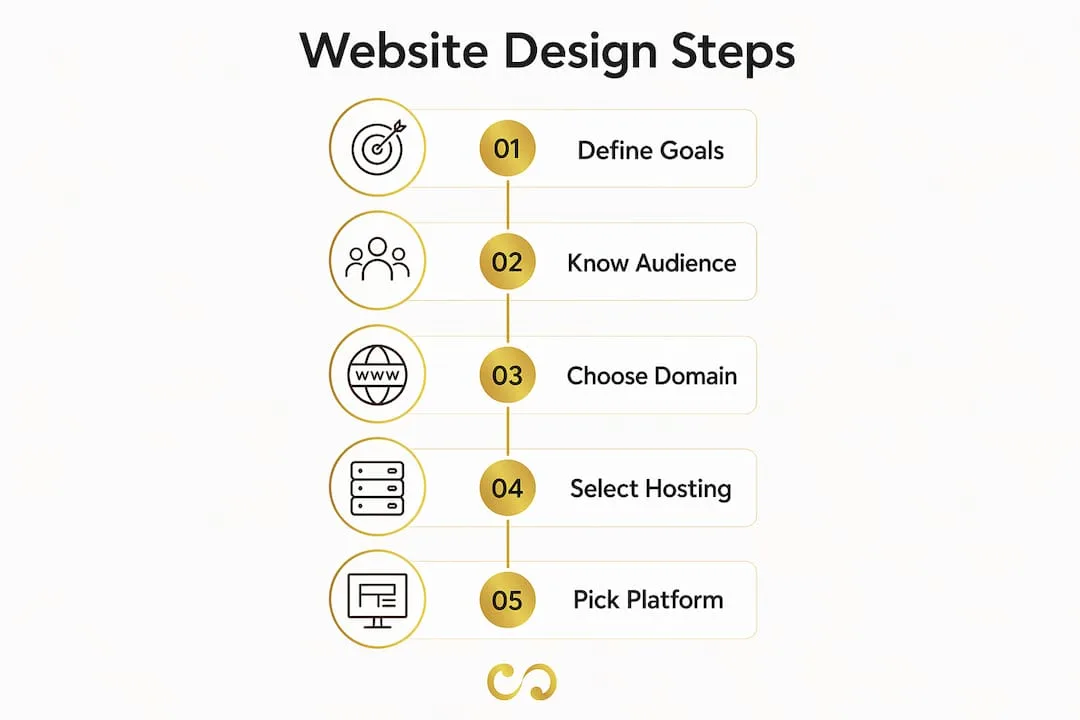
Pick the right platform
No-code website builders are now the usual, cost-effective route for small business owners. For most standard business sites they remove the need for a traditional developer. Entry-level platforms handle layout, hosting and basic SEO in one place; more advanced ones add e-commerce, custom integrations and deeper analytics. Choose for where your business is now, not where you hope it will be in five years.
Pro tip: Set up Google Analytics and Google Search Console before the site goes live. You want baseline data from day one, not a gap in your history.
| Tool category | What it covers |
|---|---|
| Goal-setting frameworks | SMART goals and OKRs to define site objectives |
| Domain and hosting | Brand-consistent URL, SSL, fast load times |
| Website platform | No-code builders for most small business sites |
| Analytics set-up | Google Analytics, Google Search Console |
What are the essential steps to design and build your business website?
A professional web design process runs in clear stages from strategy to post-launch improvement. You do not need to run every stage at agency scale, but skipping the foundational ones costs you later.
-
Define goals and audience. Write down what success looks like before anything else, using your SMART goals.
-
Plan your sitemap. A clear sitemap and content hierarchy improve navigation and SEO. List every page the site needs and map how they connect. This prevents messy menus and confusing paths.
-
Create wireframes. Wireframing separates layout from visual styling so you can focus on user flow and content hierarchy first. Sketch layouts without colour or fonts. Decide where the headline goes, where the call to action sits and how a visitor moves from one section to the next.
-
Write your content. Content comes before design, not after. Build SEO in from the start by planning keywords and internal links early. Write copy that answers the visitor's question, then design around it. Our content marketing guide covers the storytelling approach that works for small business sites.
-
Apply visual design. Choose colours, typography and imagery that match your brand identity. Consistency across pages builds recognition and trust. Keep to two fonts and a small core palette to avoid clutter.
-
Build the site. Assemble it on your chosen platform from your wireframes and content. Connect your domain, configure hosting and install your analytics.
-
Test everything. Check every link, form and button. Test on mobile, tablet and desktop, and in several browsers. Ask someone outside the business to complete a key task, such as finding your contact page, and watch where they get stuck.
-
Launch and maintain. Go live, then start monitoring straight away. Launch is not the finish line; it is the start of the improvement cycle.
Pro tip: Write your page copy in a plain text document before building anything. Editing text inside a visual builder is slow and distracting. Get the words right first.
Which website pages and features are essential?
Every small business website should have four core pages: home, services or products, about and contact. Together they answer the questions every visitor has. What do you do? Can I trust you? How do I reach you?
Each page needs a clear value proposition and at least one strong call to action. Well-placed calls to action help turn interest into enquiries and sales. A call to action is more than a button: it is a line that tells the visitor exactly what to do next and why it helps them.
Beyond the core pages, these features separate useful sites from forgettable ones:
- Mobile responsiveness. Responsive design adapts the layout to each screen size, which helps both usability and search rankings. Many of your visitors will arrive on a phone, so a site that breaks on mobile loses them at once.
- Consistent branding. Your logo, colour palette and tone of voice should match on every page. Inconsistency looks unprofessional and reduces trust.
- Contact options. Offer at least two ways to get in touch, such as a form plus an email address or phone number. Less friction means more enquiries.
- Social proof. Testimonials, case studies or client logos on your homepage and services page give new visitors a reason to trust you before they have worked with you.
- Analytics. Connect Google Analytics to every page so you can see where visitors land, where they leave and which calls to action they click. Our marketing metrics guide covers the numbers worth watching.
For a fuller walk-through of the web design process for entrepreneurs, see our dedicated guide for small business owners.
How do you improve and maintain your website after launch?
Success after launch depends on having analytics in place from day one and improving the site based on what the data shows. Neglect maintenance and you risk security problems and weaker search performance. Think of your website as a product, not a project. Products get updated; projects get filed away.
The habits that keep a site performing:
- Review visitor behaviour weekly. Check which pages get traffic, which have high exit rates and which calls to action convert. The data tells you where to focus next.
- Test your calls to action and layouts. Ongoing changes based on how people use the site are what separate successful websites from static ones. Change one element at a time so you know what caused the shift. Our conversion optimisation guide explains the process.
- Keep up maintenance. Update plugins, apply security patches and keep an eye on speed and SEO metrics. A slow or hacked site loses visitors and rankings fast.
- Fix navigation problems. Poor navigation is a common reason visitors leave without getting in touch. If key pages have high exit rates, visitors usually cannot find what they came for.
"A website that focuses on user intent instead of only visual aesthetics reduces bounce rates and achieves business goals. Sites that look good but do not guide visitors toward clear goals typically face high bounce rates and low conversion rates."
The most common mistake is treating the launch as the goal. Your site on day one is the worst version of it. Every month of data makes it better.
Key takeaways
A well-designed business website needs clear goals, a methodical build and continuous improvement after launch.
| Point | Details |
|---|---|
| Start with goals, not design | Set SMART goals and define your target visitor before choosing colours or layouts. |
| Plan your sitemap early | A structured content hierarchy helps both navigation and search rankings. |
| Core pages drive conversions | Every business site needs home, services, about and contact pages with strong calls to action. |
| Mobile responsiveness is essential | Responsive design affects both user experience and search rankings. |
| Improvement after launch wins | Check analytics weekly and update the site based on real visitor behaviour. |
What I have learned from watching business owners design their first sites
The biggest mistake I see entrepreneurs make is spending weeks choosing fonts and colours before they have written a word of page copy. Visual design is the last decision, not the first. The sites that perform well have one thing in common: they were built around a specific visitor action, not around how the owner wanted the site to look.
The second pattern is treating launch as the finish line. The sites I have seen grow steadily belong to owners who check their analytics every week and ask one question: "Why did that visitor leave without contacting us?" That question leads to better decisions than any design trend.
No-code platforms have genuinely changed what small business owners without technical backgrounds can do. You do not need a developer to build a site that ranks, converts and looks professional. You do need a clear process and the discipline to follow it. Our online presence guide covers the bigger picture for small businesses ready to grow beyond their first site.
The last thing I would tell anyone starting out: get something live quickly, then improve it. A good site launched in four weeks beats a perfect site launched in six months.
Pawan
LOOM Brand Designs builds business websites that work from day one
A business website takes planning, the right tools and a process that puts your visitors' needs first. That is what we do at LOOM Brand Designs, through professional web design and development for small business owners and entrepreneurs who need results, not just a good-looking page.
From brand identity and logo design to full site builds and digital marketing, we handle the pieces that take most business owners months to work out alone. If you are starting from scratch, our basic branding package gives you a strong foundation before the first page goes live. Ready to move forward? Book a consultation and we will build a plan around your business goals.
FAQ
What are the first steps to design a business website?
Define your business goals and target audience first. Then choose a domain name, pick a hosting provider and select a no-code website platform that fits your needs.
How many pages does a small business website need?
At minimum, four: home, services or products, about and contact. Together they answer the core questions every visitor has.
How do I make my business website show up on Google?
Build SEO in from the start by planning keywords, internal links and site structure before you build. Set up Google Search Console straight after launch to monitor indexing and search performance.
What makes a business website convert visitors into leads?
Strong calls to action on every key page, a clear value proposition and a mobile-friendly design do the most to turn visitors into leads on a small business site.
How often should I update my business website?
Check your analytics weekly and make content or design updates at least once a month. Routine maintenance, including security patches and speed checks, should happen every month or two.
The Hashtag Loom